Fast Food Billing Software for QSRs
Serve counter orders quickly, keep a clear preparation queue and manage customer pickup using the same item catalogue.
Free core billing. Connected customer ordering and restaurant modules depend on configuration.
What slows down a fast food & qsr?
A fast-food counter needs speed and accuracy when multiple orders contain burgers, fries, beverages and small customizations.
Free Restaurant Billing keeps the merchant in control of item rates, applicable taxes, order acceptance, and final checkout. Configure only the channels your outlet needs.
How to get started
- Add the products you actually serve and configure rates, taxes and channel visibility.
- Take orders at the counter, or configure a supported customer ordering journey for pickup.
- Follow preparation and handover statuses so ready orders are not mistaken for new ones.
Follow the real product workflow
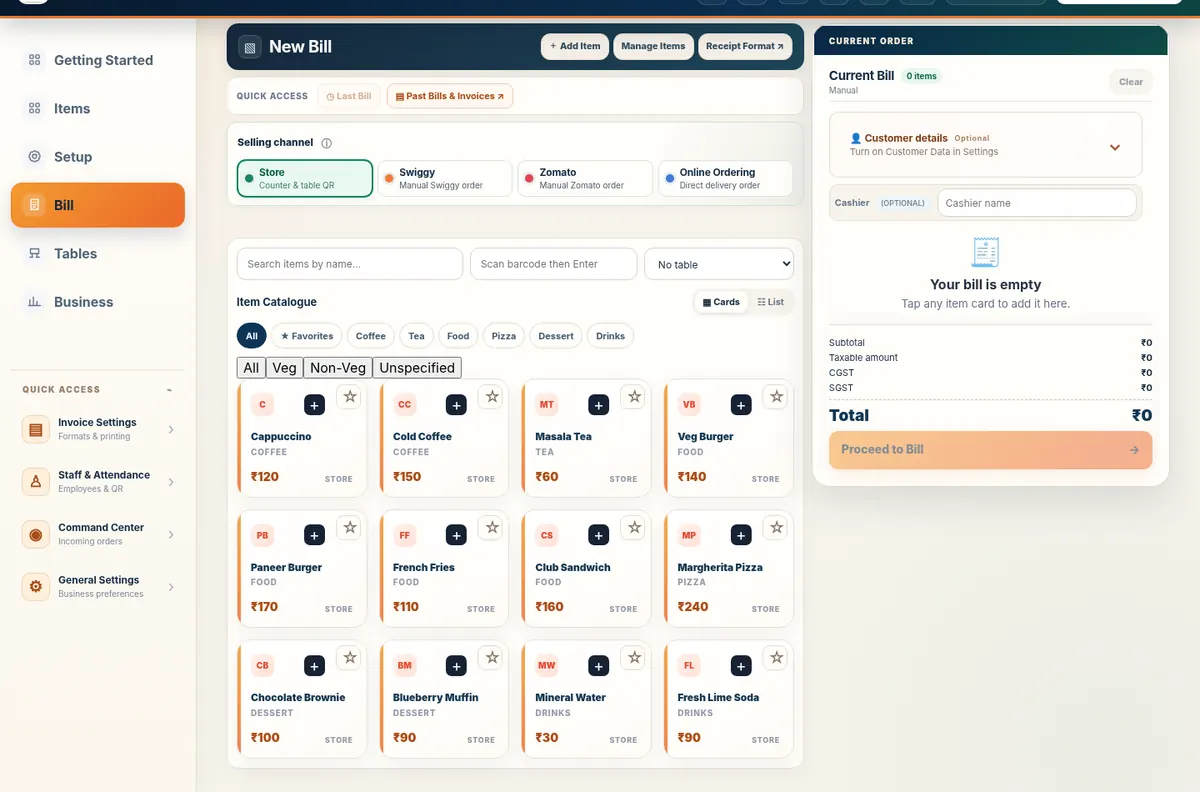
These are real demo screens, not fabricated customer results. The available actions vary with the selected food-business configuration.
Questions fast food & qsr owners ask
Can a fast-food stall bill without a kitchen display?
Yes. Counter billing works independently of KDS.
Can items be removed when sold out?
Use the existing item availability and channel controls to manage whether an item can be ordered.
Does the software connect automatically to delivery marketplaces?
Do not assume third-party marketplace integration; use supported Free Restaurant Billing and Table QR Ordering direct-order workflows.
Related restaurant operations
Set up your food business with Free Restaurant Billing
Begin with free core billing, review your item rates, and add the connected workflows your outlet needs.
Start Free Billing Explore the demo