Set up the menu and relevant online order settings.
Solutions · Cloud Kitchens
Free Cloud Kitchen Billing Software
Manage online ordering, preparation tickets and business billing using supported restaurant workflows.
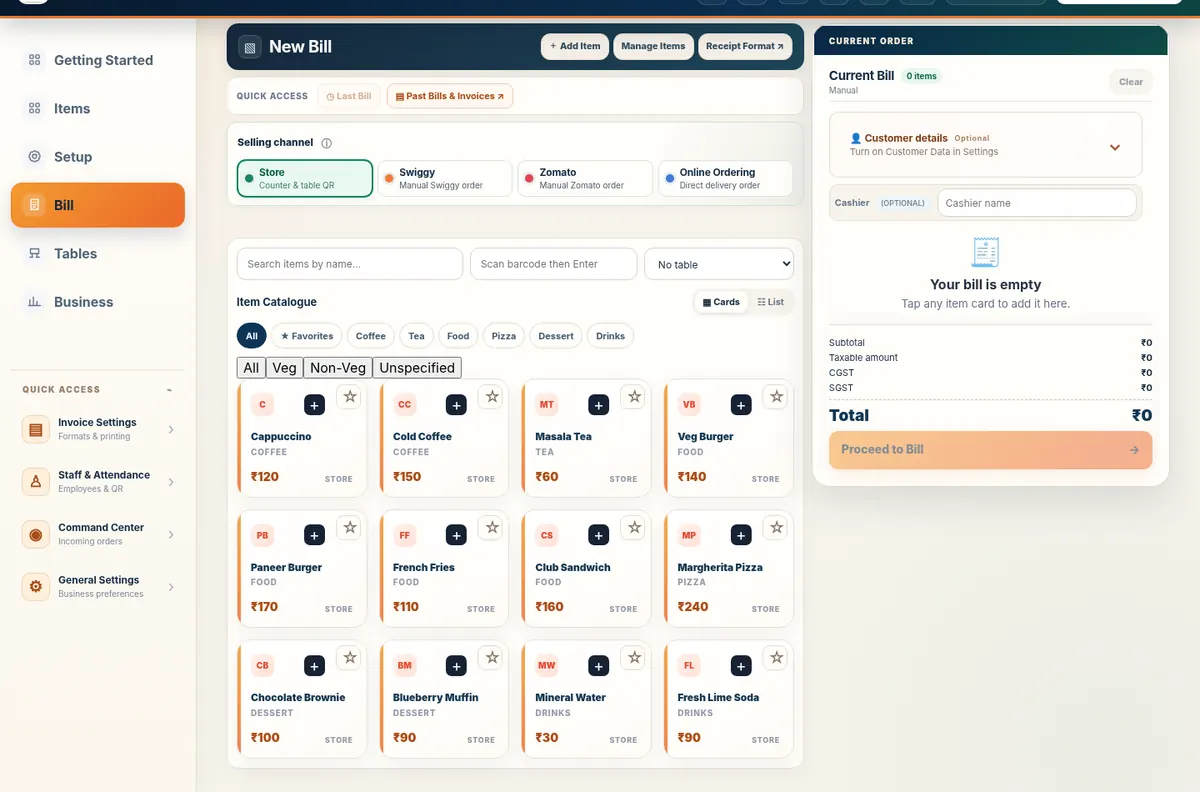
Inside the product
Online orders, kitchen focus
Bring supported ordering and preparation workflows together without a dine-in table.
Cloud Kitchens workflow
Handle day-to-day work in one place
Without a dining room, the kitchen needs clear handover between an incoming customer order and preparation or pickup.
- Table QR Ordering pickup and delivery where enabled
- Kitchen display preparation tickets
- Order-source clarity in Command Center
- Menu catalogue and billing
Tools and connected customer flows depend on the business configuration.
Real application capture using demo/sample data; your workspace may differ.
Product proof, not mockups
See what the actual application looks like
These are captured screens from the Free Restaurant Billing and Table QR Ordering application demos. They are separate from the decorative illustrations.
Start small
How cloud kitchen businesses get started
Review Table QR Ordering orders and accepted kitchen tickets.
Prepare orders and complete handover and billing.
Straight answers
Frequently asked questions
Can I use Free Restaurant Billing for cloud kitchens?
Yes. Free Restaurant Billing supports the listed billing and business workflows where configured for this business type.
Is core billing free?
Yes. The core billing application is free. Cloud Backup Available.
Can I add my own catalogue?
Yes. Begin with editable starter items or a blank catalogue during signup.
Make cloud kitchen operations easier
Start with a product list and your usual billing workflow.
Start Free BillingNo tables required
Follow a cloud kitchen order from menu to handover
- Set up food items and selling rates in the merchant catalogue.
- Enable the appropriate supported Table QR Ordering customer order channel.
- Review incoming requests in Command Center and send accepted preparation tickets to KDS as configured.
- Track pickup or delivery handover and complete the matching business bill.
Connected customer and rider operations require internet and merchant configuration. Third-party marketplace connections are not implied.
Billing first, delivery workflow second
A delivery-only kitchen still needs a reliable internal bill and kitchen workflow even when an external marketplace is involved. Free Restaurant Billing can manage its own supported direct ordering and preparation workflow, but it does not claim a native Swiggy or Zomato API integration unless that integration is explicitly configured outside this page.