Free Pizzeria Billing Software
Organise pizzas, sides, pasta and drinks for counter and direct customer orders, then keep preparation and handover visible.
Free core billing. Connected customer ordering and restaurant modules depend on configuration.
What slows down a pizzeria?
Pizza outlets often sell a small core menu with different sizes or variants, while takeaway and delivery orders arrive together.
Free Restaurant Billing keeps the merchant in control of item rates, applicable taxes, order acceptance, and final checkout. Configure only the channels your outlet needs.
How to get started
- Create each actual pizza variant and side as an item or supported variant in your existing catalogue.
- Check the correct price and GST settings for counter and customer ordering channels.
- Review accepted orders and handovers before closing the sale.
Follow the real product workflow
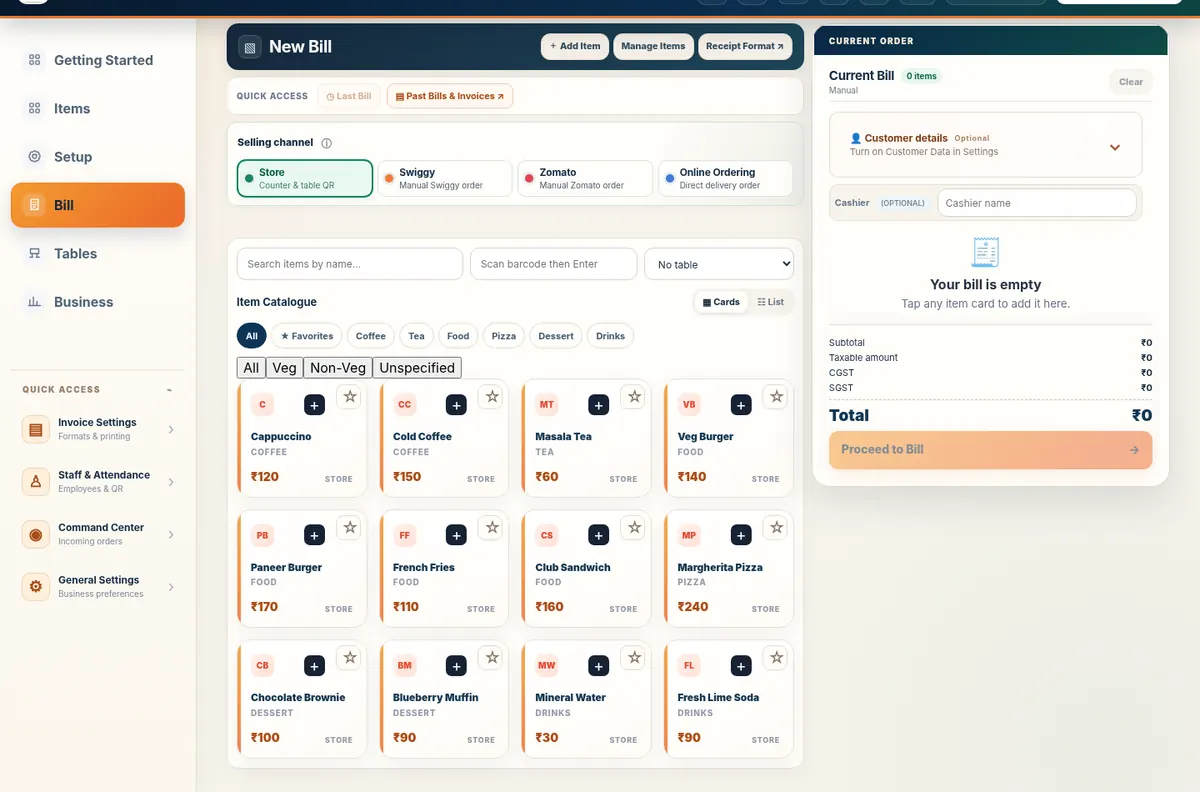
These are real demo screens, not fabricated customer results. The available actions vary with the selected food-business configuration.
Questions pizzeria owners ask
Can I create separate pizza sizes?
Use the available catalogue/item-variant capabilities appropriate to your product configuration, and check prices for each sellable choice.
Can customers place takeaway orders?
Supported Table QR Ordering direct pickup allows customers to submit requests for merchant acceptance and fulfilment.
Are delivery marketplace integrations included?
No automatic Swiggy or Zomato integration is claimed on this page.
Related restaurant operations
Set up your food business with Free Restaurant Billing
Begin with free core billing, review your item rates, and add the connected workflows your outlet needs.
Start Free Billing Explore the demoPractical next steps
Model pizza sizes as clear menu items
Free Restaurant Billing does not require a variant model: each pizza size or preparation can be maintained as its own item with its own selling rate. This keeps counter selection predictable and works well with the existing menu-first onboarding approach.
For delivery channels, configure the supported restaurant ordering workflow you actually use. This page does not claim native Swiggy or Zomato API synchronization.