Configure menu items and the relevant ordering QR in the app.
Free Restaurant Billing · QR Ordering
Free QR Ordering System for Restaurants — Table QR Ordering
Let customers scan a QR code to browse your menu and place an order from their own phone.
QR ordering · Illustrated journey
From a table scan to a kitchen ticket
Show diners a digital menu on their phone and route the order through the supported merchant workflow.
What this solves
A simpler way to manage qr ordering
Paper menus and manually relaying every table order slow down busy service periods.
Configure a digital menu, table or on-site ordering QR code and relevant kitchen workflow. Table QR orders identify the table. Storefront on-site orders let visitors order without requiring a table number; the business still controls acceptance and billing.
- Table-specific QR ordering
- Storefront on-site QR ordering
- Customer-facing menu in a browser
- Order visibility in Command Center
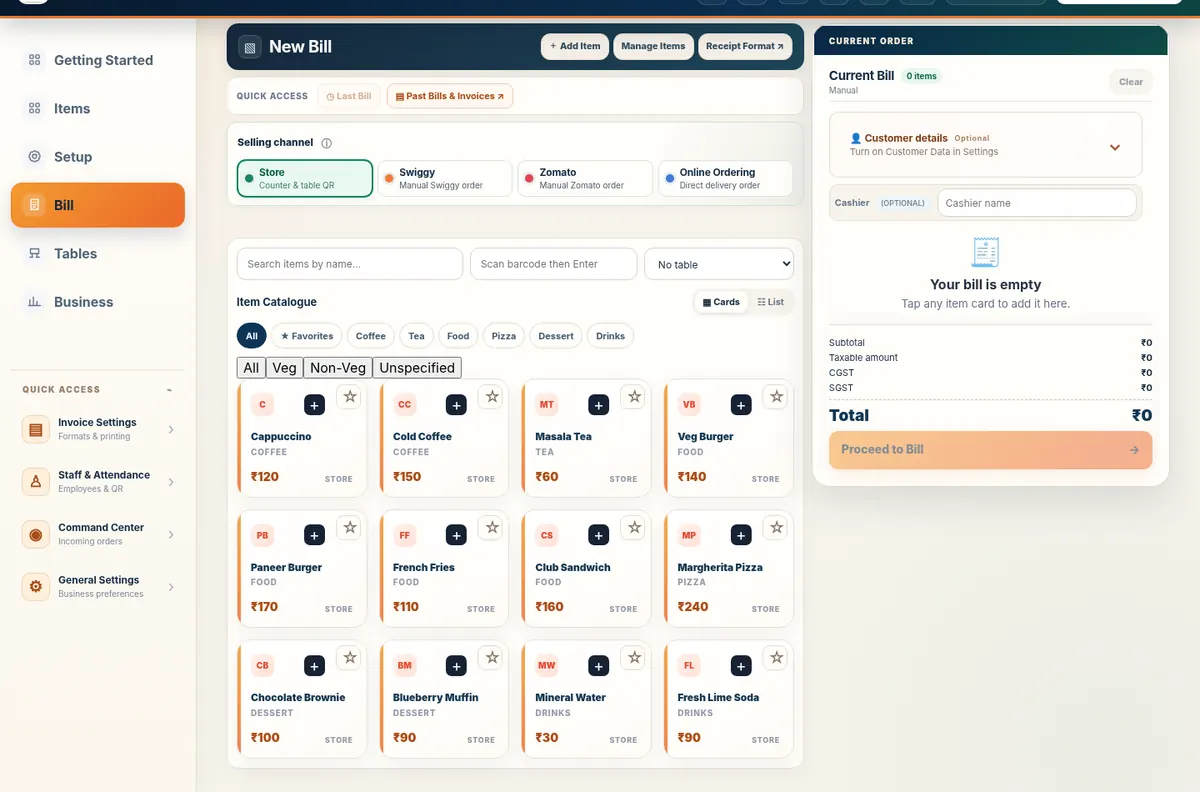
Real application capture using demo/sample data; your workspace may differ.
Product proof, not mockups
See what the actual application looks like
These are captured screens from the Free Restaurant Billing and Table QR Ordering application demos. They are separate from the decorative illustrations.
Your next steps
How it works
Place the QR at a table or storefront as appropriate.
Review incoming orders in the existing business workflow.
Straight answers
Frequently asked questions
Do customers need to install an app?
No. Supported QR ordering opens in a browser.
Are table and storefront QR codes different?
Yes. Table QR identifies a table; storefront on-site ordering does not require a table number.
Does the restaurant still approve orders?
Yes. Existing order-management controls remain with the business.
Make your workday simpler
Explore QR Ordering and the other tools in Free Restaurant Billing.
Start Free BillingLearn and try
Explore the full workflow
Read a practical guide or try a no-login simulation using fictional records.
Table QR and Direct Orders are different
A Table QR refers to a table or on-site merchant ordering journey. Direct Orders are separate customer pickup or delivery requests. Review the QR destination before printing.
Practical next steps
Table QR Ordering is the product name; QR ordering is the search intent
Restaurants can use a table QR as a menu-only experience or enable supported guest self-ordering. The exact operational flow depends on restaurant configuration, but customers do not need a separate guest app just to open the menu experience.