Restaurant POS & Billing Software for India
Run dine-in and counter billing with restaurant POS workflows that connect tables, KOT/KDS, kitchen preparation, captain ordering and final settlement.
Free core billing. Connected customer ordering and restaurant modules depend on configuration.
What slows down a restaurant & dining?
A dine-in service has several handovers: the waiter takes an order, the kitchen prepares it, the table may add another dish, and the cashier settles the final bill.
Free Restaurant Billing keeps the merchant in control of item rates, applicable taxes, order acceptance, and final checkout. Configure only the channels your outlet needs.
How to get started
- Create food categories and enter your actual selling rates and GST settings.
- Add dining tables and configure Table QR or Captain Ordering only if your service style needs them.
- Review incoming orders, check the kitchen tickets, and settle the correct table before freeing it.
Follow the real product workflow
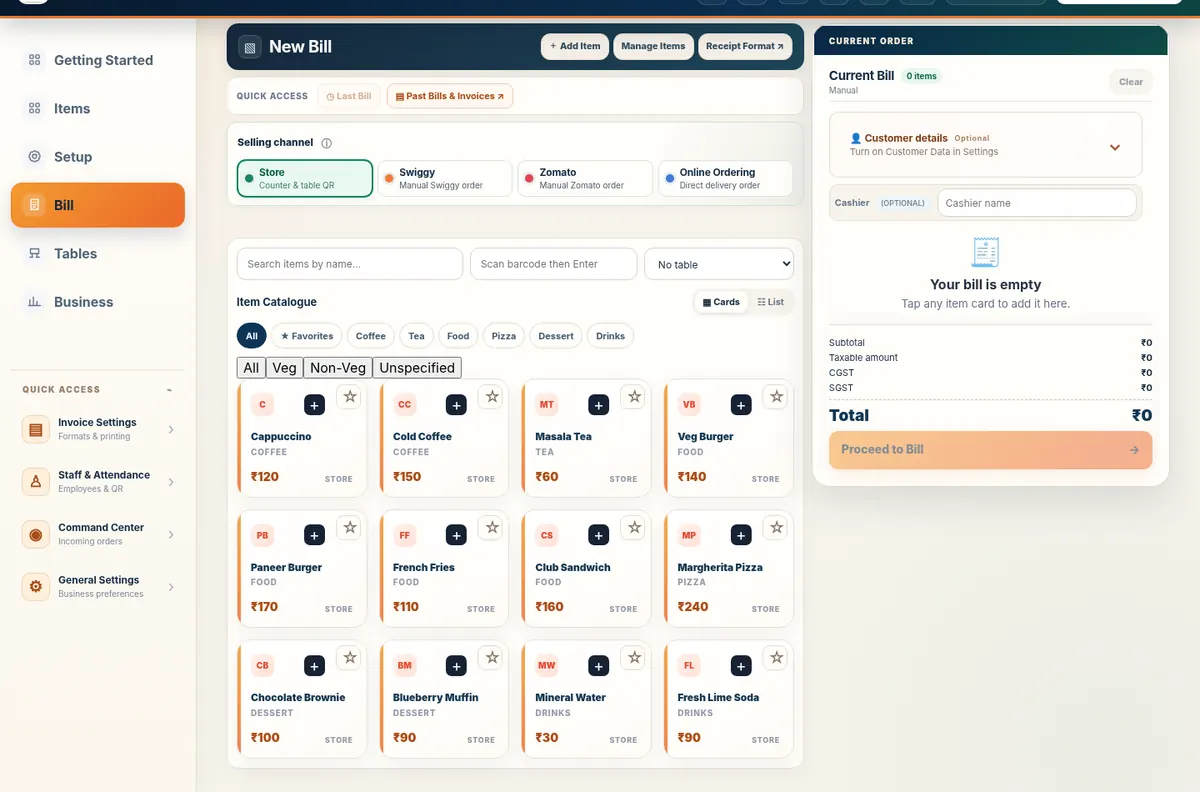
These are real demo screens, not fabricated customer results. The available actions vary with the selected food-business configuration.
Questions restaurant & dining owners ask
Can different tables have different running orders?
Table-related workflows maintain table context for restaurant orders. Review active orders in the relevant table and billing screens before settlement.
Can guests just view the menu without ordering?
The supported table QR configuration offers menu-only use, while staff can continue taking orders.
Do I need KDS to start billing?
No. You can use counter billing first and configure KDS later if the kitchen needs a digital queue.
Related restaurant operations
Set up your food business with Free Restaurant Billing
Begin with free core billing, review your item rates, and add the connected workflows your outlet needs.
Start Free Billing Explore the demo