Add items with categories, units and selling prices.
Free Restaurant Billing · Inventory
Inventory Management for Indian Shops
Keep your item catalogue, selling prices and stock information organised alongside billing and purchases.
Inside the product
Your items, ready when you need them
Manage item details and categories, then connect products to purchases and billing.
What this solves
A simpler way to manage inventory
A scattered product list makes it difficult to find products quickly or maintain dependable stock records.
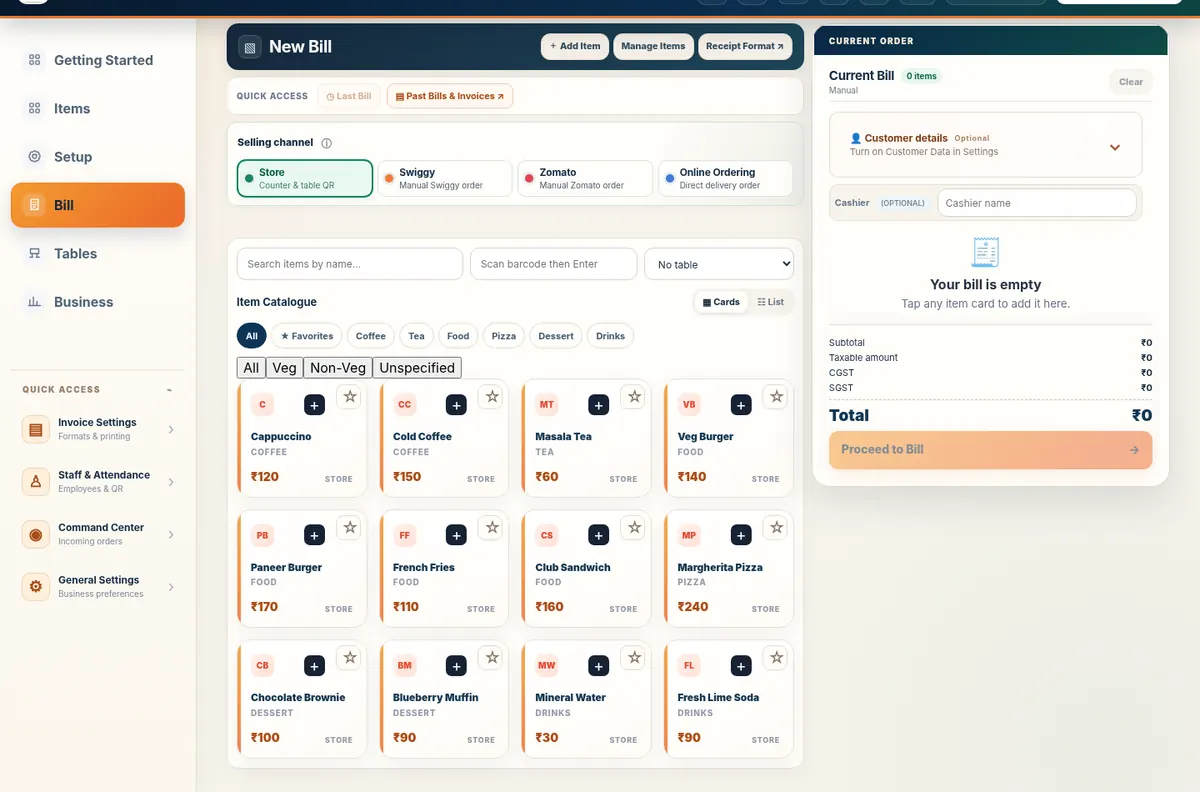
Create product categories, search and filter items, maintain item details, and review stock activity. Item masters connect to billing; purchase records can update stock where the existing workflow supports it.
- Item master with categories and quick filters
- Barcode and product lookup where configured
- Stock quantities and adjustments
- Product details available in the billing workspace
Real application capture using demo/sample data; your workspace may differ.
Product proof, not mockups
See what the actual application looks like
These are captured screens from the Free Restaurant Billing and Table QR Ordering application demos. They are separate from the decorative illustrations.
Your next steps
How it works
Maintain available quantities and record purchases as needed.
Review inventory while selling and update discrepancies.
Straight answers
Frequently asked questions
Can I group products by category?
Yes. The Items section includes category-based quick filters.
Do purchases link to stock?
Purchase management includes supported purchase-linked stock updates.
Can I edit existing items?
Yes. Item details can be edited in the application.
Make your workday simpler
Explore Inventory and the other tools in Free Restaurant Billing.
Start Free BillingLearn and try
Explore the full workflow
Read a practical guide or try a no-login simulation using fictional records.