Free QSR & Fast Food Billing Software
Order → Token → KDS → Pickup → Bill
Free QSR billing software with fast counter orders, token display, KDS and Direct Order support.
Fast counter service with kitchen visibility
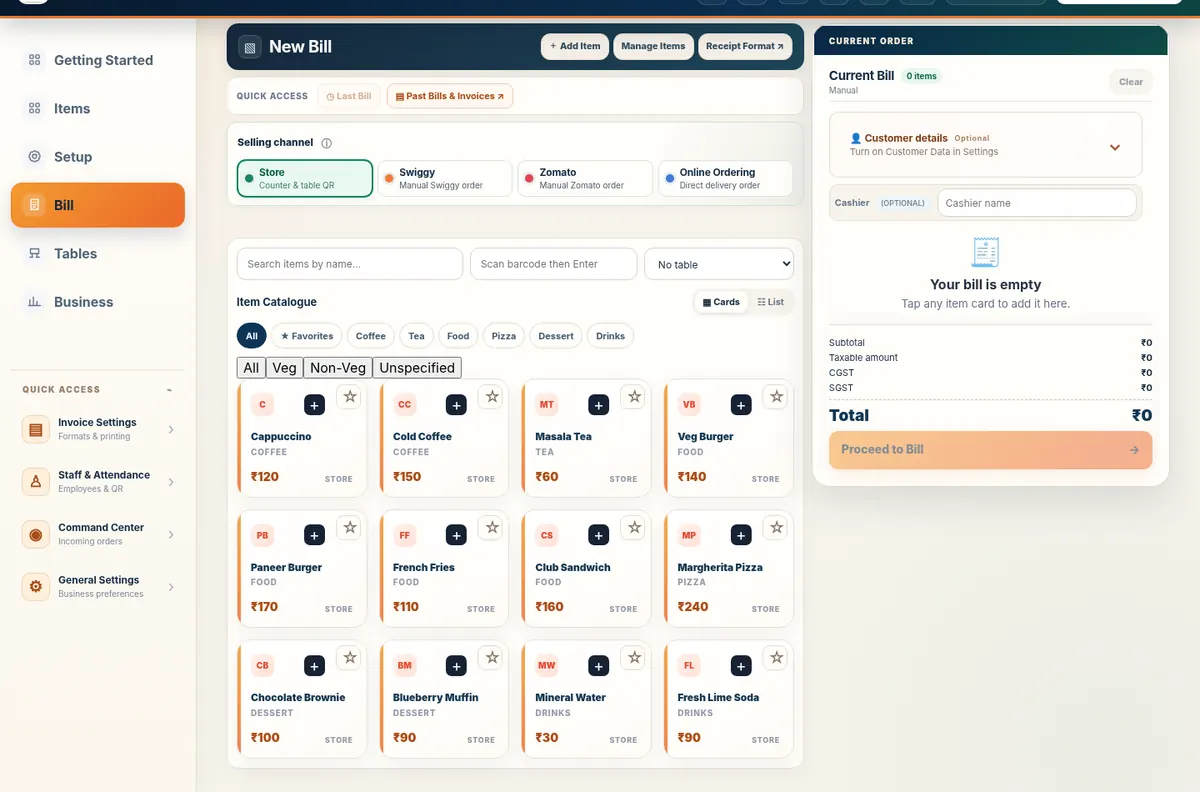
Illustrated fast-food workflow and actual merchant billing.
See the whole workflow before you start.
A visual, step-by-step view of the daily Fast Food / QSR journey.
What you set up first
What your team does during an actual business day
Two perspectives. One connected flow.
Customer side
Business side
Free Restaurant Billing runs the business. Table QR Ordering connects the customer.
Customers can place Direct Orders before reaching the counter. The same order enters Free Restaurant Billing for preparation and handover.
Start with what fits. Enable more when needed.
Core modules
Optional modules
Business Type defines recommended defaults. It does not restrict functionality.
You are not buying eight systems.
These are connected modules inside one Free Restaurant Billing platform.
What the workflow feels like
Five moments. One connected day.
Different entry points. Same Free Restaurant Billing.
Walk-in
Order directly at the counter.
QR
Scan a store or ordering QR.
Table QR Ordering
Place a Direct Order digitally.
Fast Food / QSR billing software for India
Free QSR billing software with fast counter orders, token display, KDS and Direct Order support. Relevant searches include fast food billing software, QSR POS, token display, KDS software, fast food billing app. Free Restaurant Billing keeps the visual workflow simple while exposing crawlable business-specific information for search and answer engines.
Frequently asked questions
Is Free Restaurant Billing really free for a fast food / qsr?
Yes. Free Restaurant Billing is free core to use for billing and supported business operations.
Do I have to use every module?
No. Business Type provides recommended defaults. Modules remain configurable and can be switched on or off as needed.
Does it require a special computer?
No. Use a modern phone, tablet, laptop or desktop browser. A thermal printer is optional.
What does Table QR Ordering do?
Customers can place Direct Orders before reaching the counter. The same order enters Free Restaurant Billing for preparation and handover.
Can I print or share a bill?
Yes. Supported browser and printer combinations can print, save or share bills using the available Free Restaurant Billing workflows.
Everything your business needs.
Only the modules you need. free core.
No installation required • Works on phone, tablet and computer