Restaurant Table Management for Indian Small Businesses
See table references, active orders and availability from the merchant account.
A connected table and counter workflow
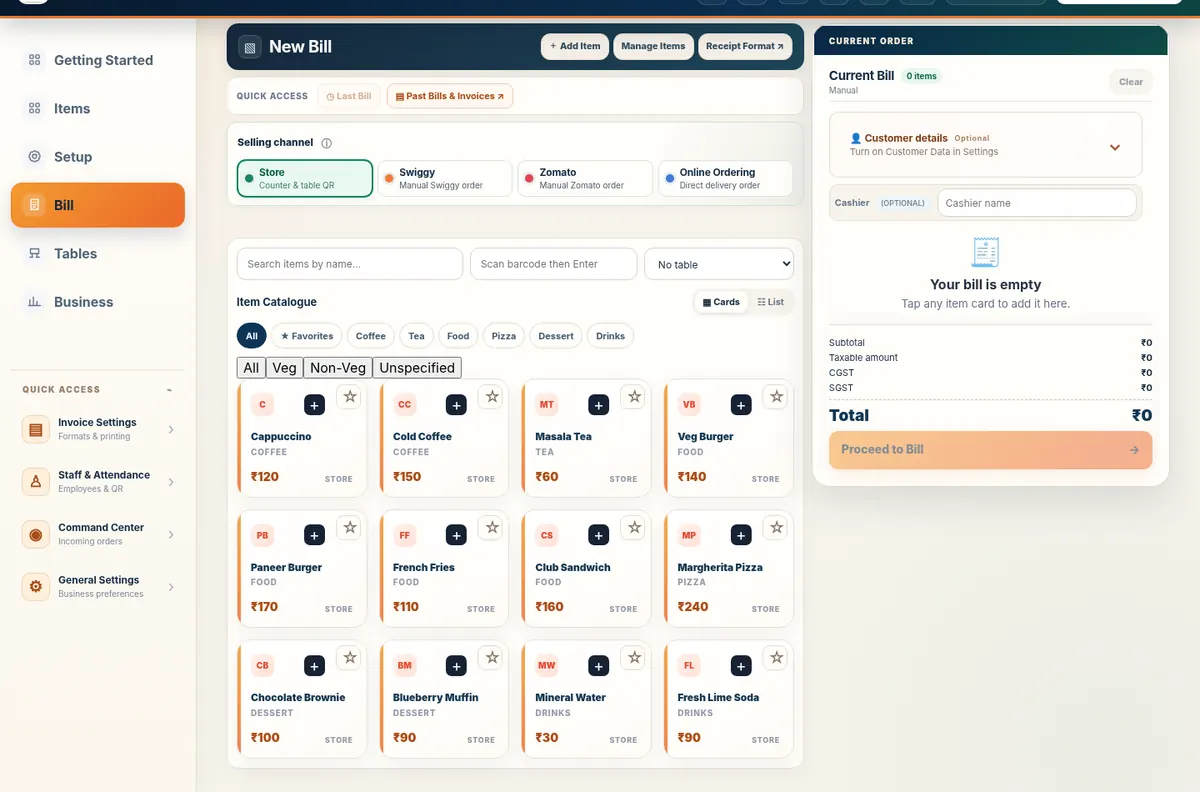
Illustrated QR/table ordering and an actual merchant billing screen.
What it is
See table references, active orders and availability from the merchant account.
Who it helps
Dine-in restaurants, cafés and dhabas.
How Restaurant Table Management works
- Create table numbers
- Generate table QRs if needed
- Attach orders to a table
- Track active service
- Close the table after billing
How Free Restaurant Billing implements it
The feature connects to the merchant catalogue and billing flow without taking control away from the business. Customer-facing steps use Table QR Ordering where appropriate. Final acceptance, pricing and billing stay with the merchant.
Related business guides
Frequently asked questions
Who should use Restaurant Table Management?
Dine-in restaurants, cafés and dhabas.
Is this feature included in the free product?
Yes. Free Restaurant Billing does not use a paid billing tier.
Does it replace merchant review?
No. The business remains responsible for checking orders, prices, payments and final bills.
Does it work offline?
Local billing can continue offline; connected customer or cloud workflows need internet.
Do customers need to install an app?
The supported Table QR Ordering web journeys are designed to open in a browser.
Where can I try it?
Use the live demo to explore the merchant workflow without changing a real business account.