UPI QR Billing for Indian Small Businesses
Show a payment QR with the bill so customers can pay using a supported UPI app.
From payment amount to bill review
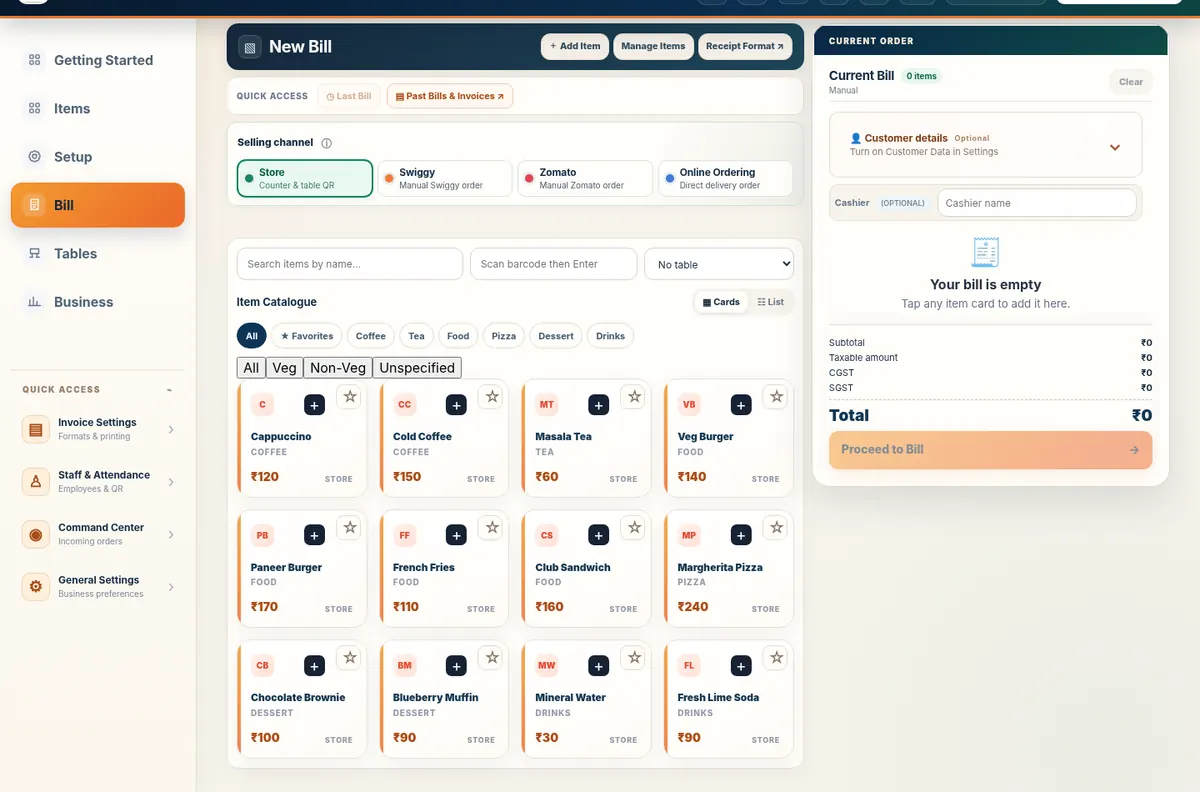
Actual merchant billing workspace; confirm incoming UPI payments independently.
What it is
Show a payment QR with the bill so customers can pay using a supported UPI app.
Who it helps
Any Indian business accepting digital payment.
How UPI QR Billing works
- Create the bill
- Confirm payable amount
- Display or print the QR
- Customer scans in a UPI app
- Merchant verifies payment independently
How Free Restaurant Billing implements it
The feature connects to the merchant catalogue and billing flow without taking control away from the business. Customer-facing steps use Table QR Ordering where appropriate. Final acceptance, pricing and billing stay with the merchant.
Related business guides
Frequently asked questions
Who should use UPI QR Billing?
Any Indian business accepting digital payment.
Is this feature included in the free product?
Yes. Free Restaurant Billing does not use a paid billing tier.
Does it replace merchant review?
No. The business remains responsible for checking orders, prices, payments and final bills.
Does it work offline?
Local billing can continue offline; connected customer or cloud workflows need internet.
Do customers need to install an app?
The supported Table QR Ordering web journeys are designed to open in a browser.
Where can I try it?
Use the live demo to explore the merchant workflow without changing a real business account.